

Declutter
LabelledRemoves movable personal items — laundry, cables, worktop clutter, bins.
Output label: “Digitally decluttered — movable items removed”
RendProp
Record the property once, on the phone in your pocket. RendProp turns the walkthrough into a room-by-room tour, enhanced stills, an approximate floor plan, and a share page with a QR code — with every altered image labelled as altered.
The walkthrough is an illustrative demonstration. It processes nothing and stores nothing.
The capture workflow, job queue, spend controls, disclosure rules, and share pages are built. The processing step is not connected to any provider, so nothing on this site can currently transform a walkthrough into listing media.
The RendProp feature flag is off in this environment as well, so no project, upload, or job can be created here.
The workflow
Where each step runs matters. Anything a person waits on happens on the phone or in a request that returns immediately; anything that takes minutes happens in a worker.
A guided capture on the phone you already have. Room by room, waist height, lights on. No rig, no tripod, no second visit.
On your phone
An authenticated request mints a short-lived upload URL and the file goes straight to storage. There is no public endpoint to abuse.
Request — returns immediately
Each clip gets a proposed room label. You confirm every one — a suggestion is never treated as a confirmation.
On your phone
The request inserts queued rows and returns immediately. Nothing heavy runs in a request handler, because a request that exceeds its CPU budget is killed and the person gets nothing.
Request — returns immediately
A background worker claims a job, reserves the spend under a lock, calls the provider, and settles. Retries are bounded and jittered; an ambiguous outcome parks for reconciliation rather than quietly releasing budget.
Background worker
Every altered image is shown beside its unaltered original with its disclosure label attached, and nothing reaches a tour until you approve it.
On your phone
What it produces
Anything that alters pixels carries a label. The label is written into the record at creation and rendered next to the image everywhere it appears.
Removes movable personal items — laundry, cables, worktop clutter, bins.
Output label: “Digitally decluttered — movable items removed”
Balances exposure and colour so a phone-lit room reads the way it looks.
Output label: “Digitally enhanced — exposure and colour corrected”
Adds furniture to an empty room. The furniture does not exist.
Output label: “Virtually staged — furnishings are digital and not included in the sale”
Pulls sharp frames out of the walkthrough and upscales them for a listing.
Output label: “AI-enhanced still extracted from video”
A room-adjacency sketch derived from the walkthrough. Not a survey.
Output label: “AI-generated floor plan — approximate, not a measured survey”
Orders the scenes into a walk a viewer can follow.
Suggests a room label for each clip. You confirm every one.
Cleanup removes movable personal items. It is not a repair, and no altered image represents the condition of a property or substitutes for an inspection.
What each one looks like
A description of virtual staging is easy to agree with. Seeing the original beside the altered frame, with the disclosure attached to the altered one, is what makes the rule checkable.
None of these images was produced by RendProp.
No provider is connected, so RendProp has processed nothing and these are not its output. They were generated for this page to show what each transformation does, and they do not depict a real property, a real client, or anyone who works here. Each altered image nevertheless carries the exact label the pipeline would attach to it, because that label is a property of the transformation rather than a decision this page makes.
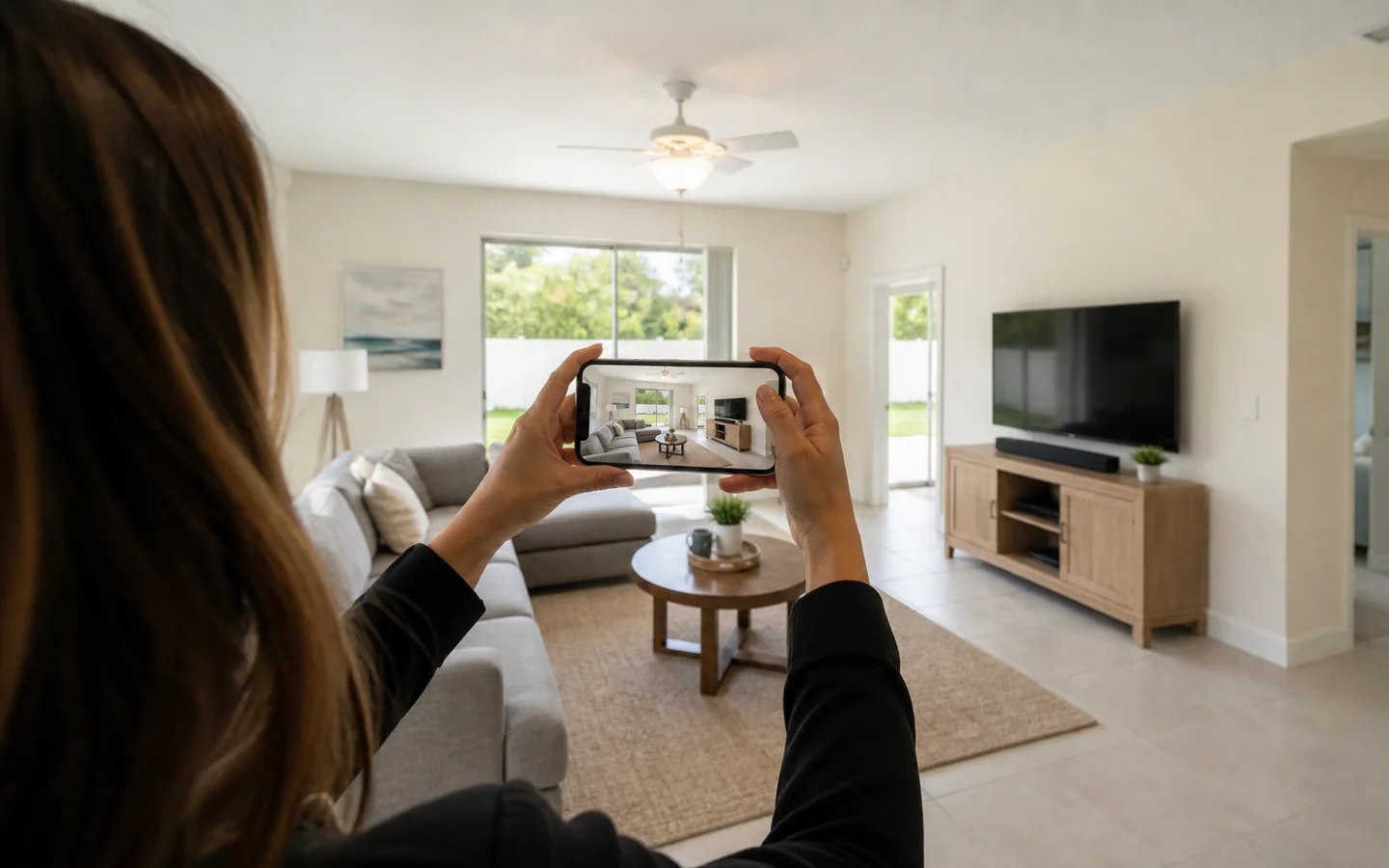
Waist height, lights on, room by room, on the phone already in the agent’s pocket. The person in this illustration is not a member of staff, an agent we work with, or a client, and the room is not a property that exists.
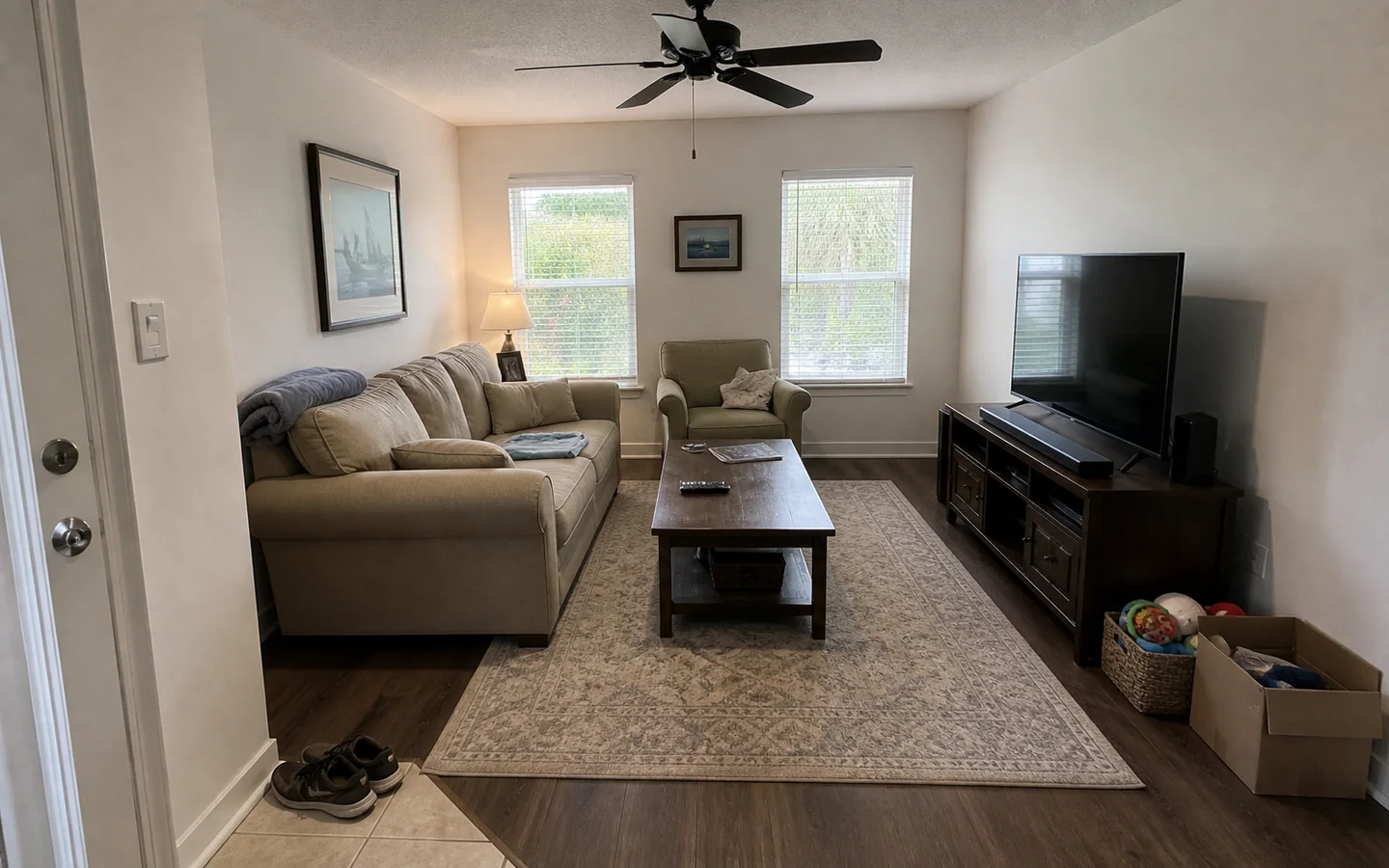
Unaltered frame from the walkthrough — preserved as captured
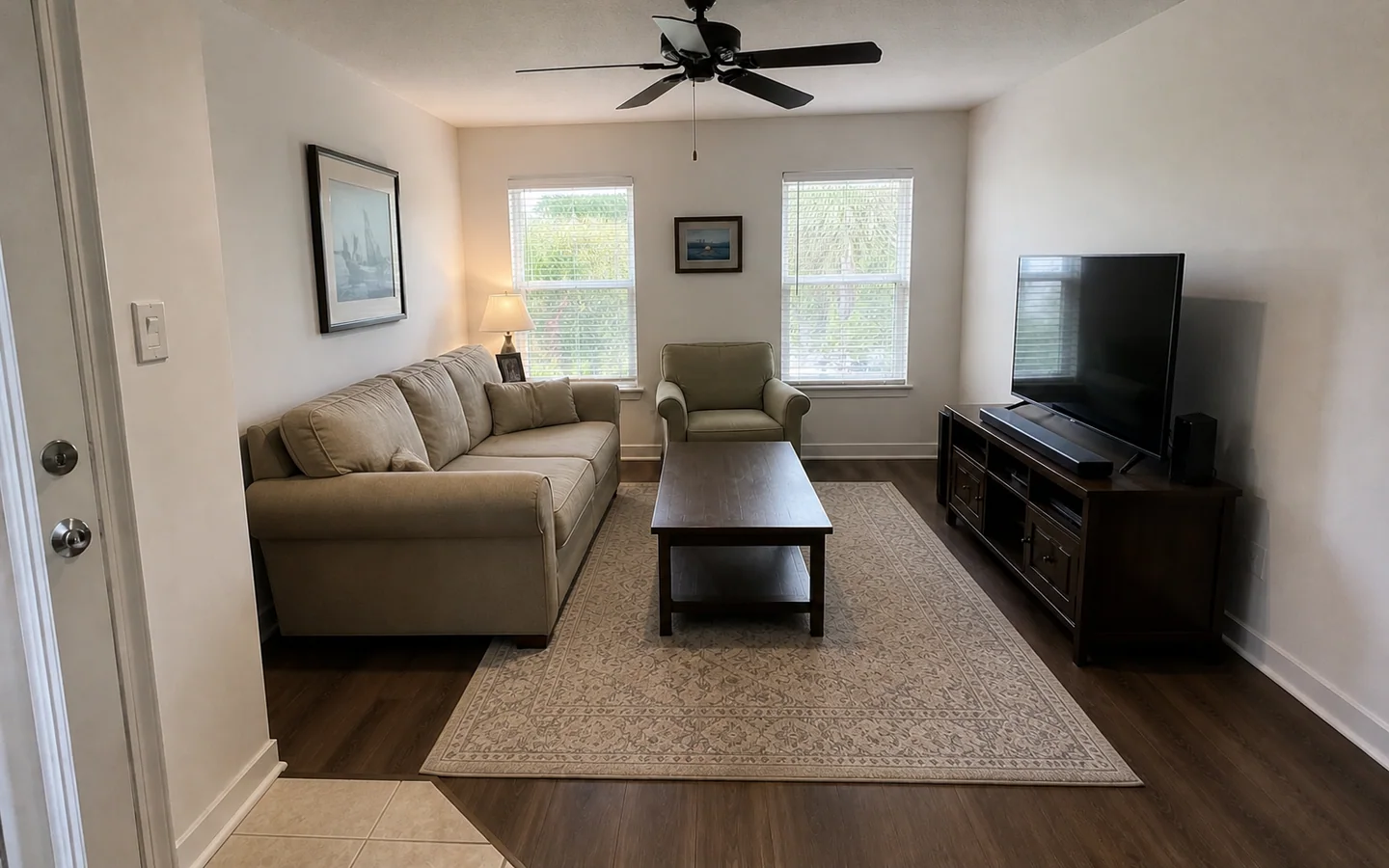
Digitally decluttered — movable items removed
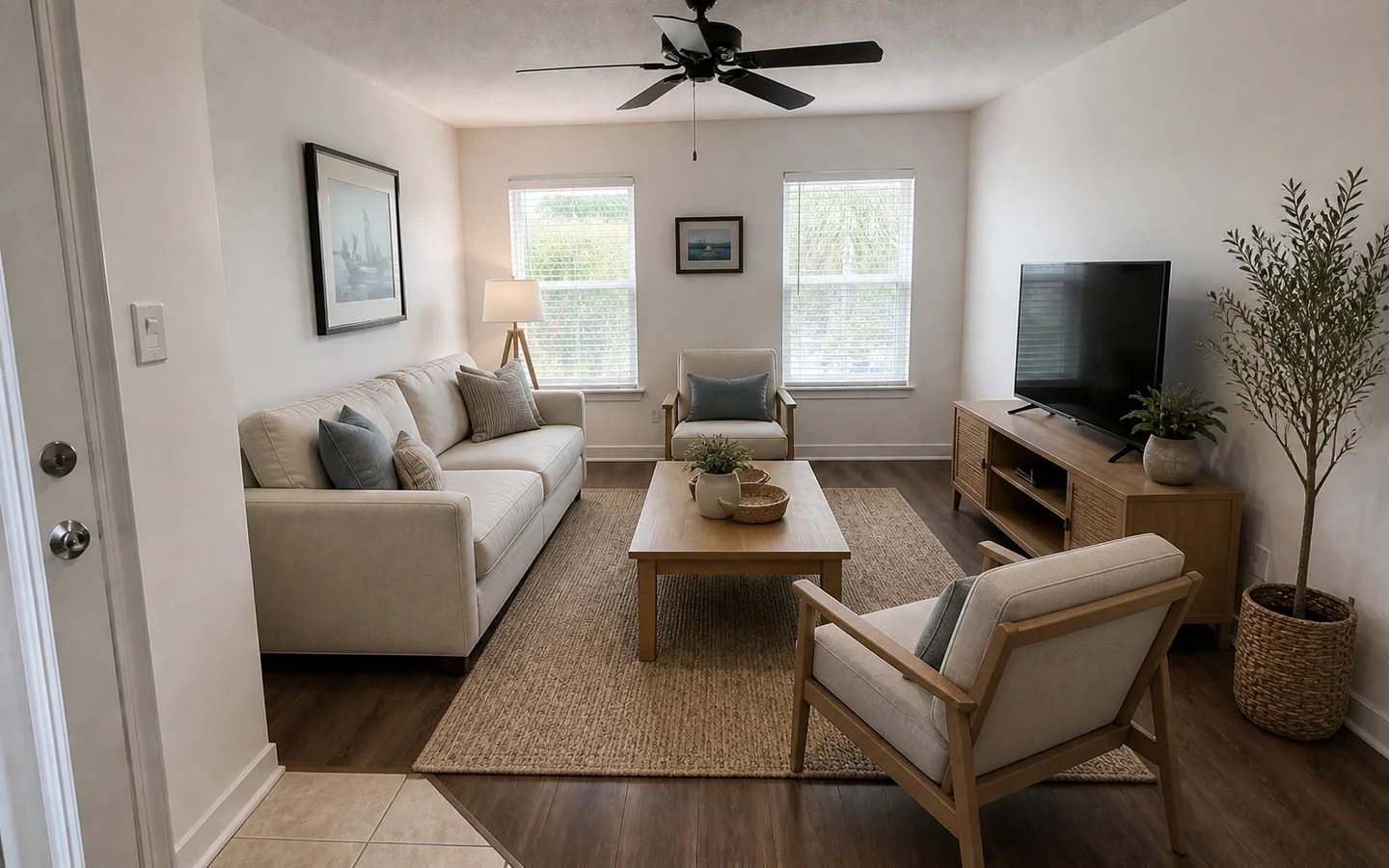
Virtually staged — furnishings are digital and not included in the sale
Cleanup took away the throw, the shoes and the toy box — movable personal items, and nothing else. It did not touch the floor, the fan, the walls, or anything a buyer would want to see. The staged frame replaces the furniture entirely; none of that furniture exists, which is precisely what its label says.
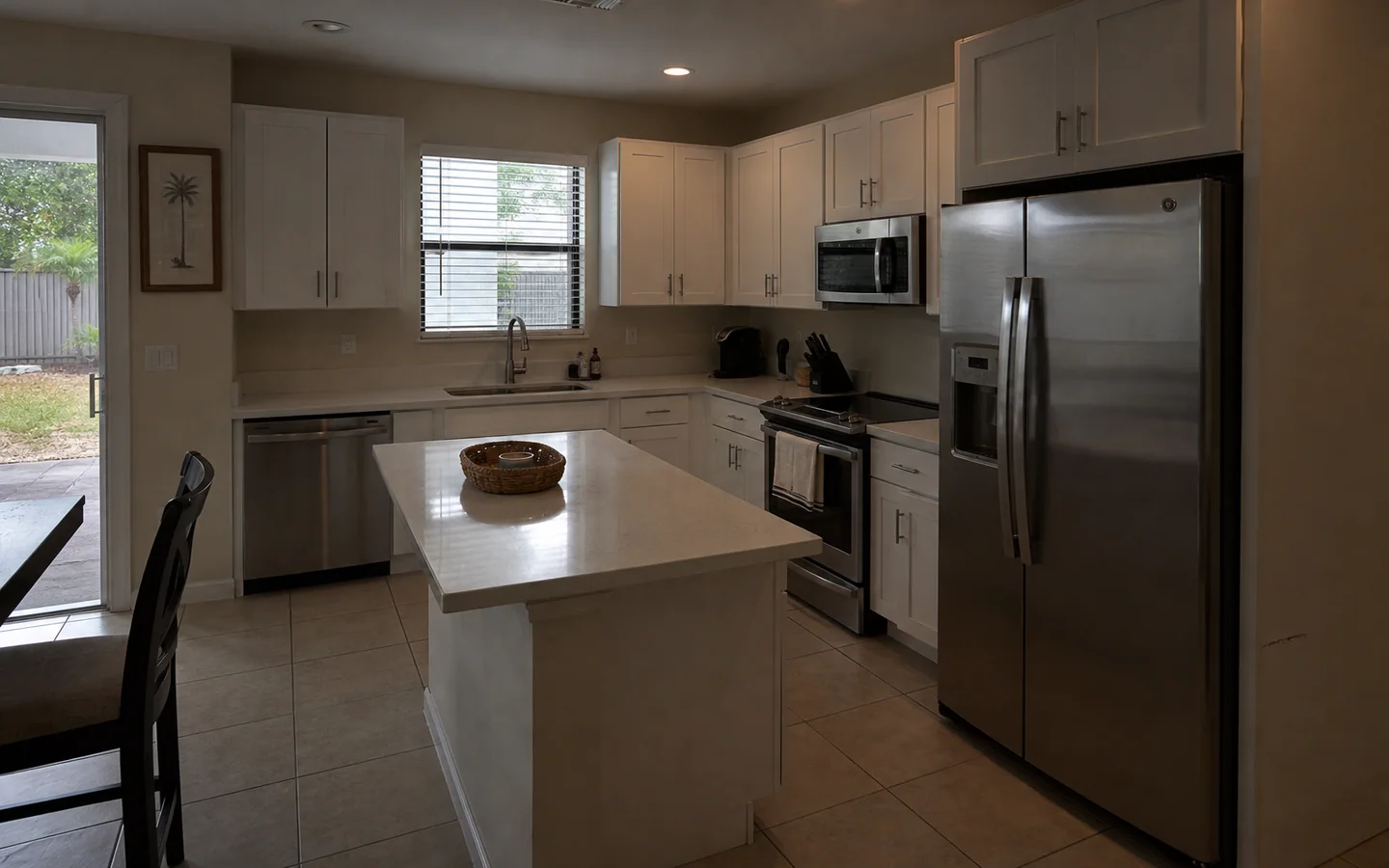
Unaltered frame from the walkthrough — preserved as captured
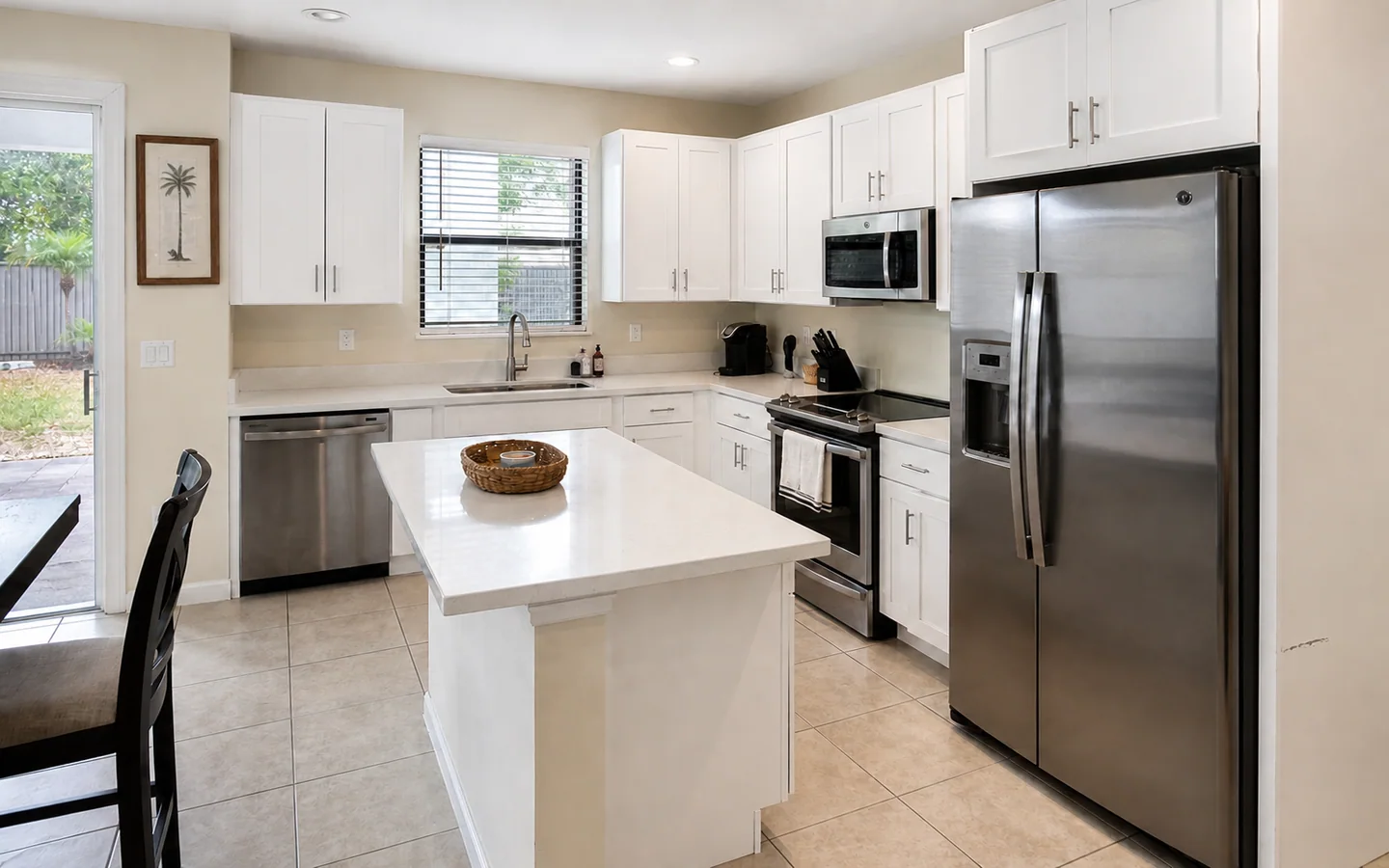
Digitally enhanced — exposure and colour corrected · AI-enhanced still extracted from video
The scuff on the wall survives the correction, deliberately. Exposure is a camera problem; a mark on a wall is a fact about the property, and a transformation that quietly removed it would be concealing a condition rather than fixing a photograph.
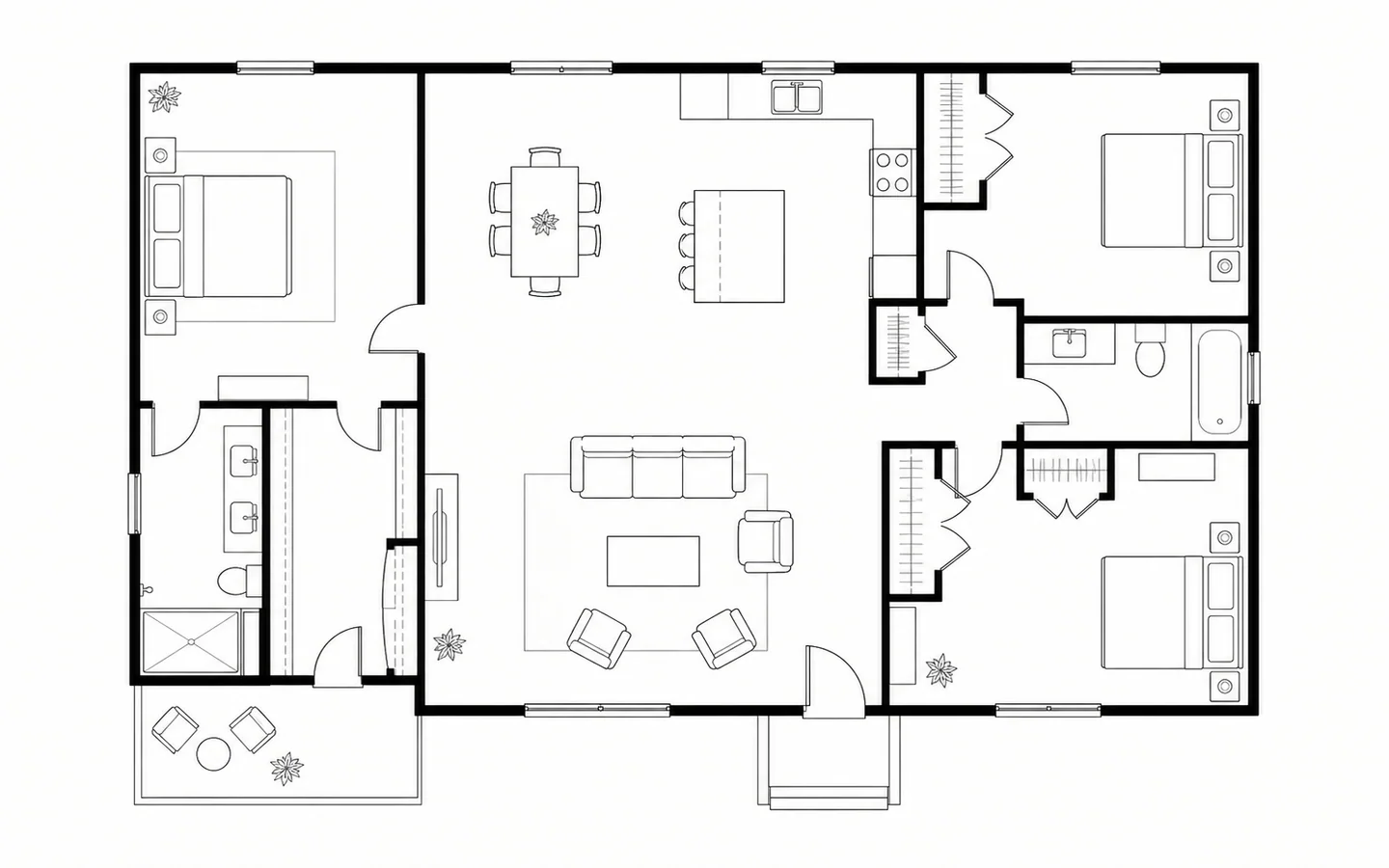
AI-generated floor plan — approximate, not a measured survey
Derived from ordinary phone video, with no dimensions on it because none have been benchmarked. A candidate for review, not a survey.

Virtually staged — furnishings are digital and not included in the sale
The disclosure travels with the media rather than the page, so it survives the cover being embedded, screenshotted, or forwarded away from anything that qualified it.
How it is built
No provider is connected, so nothing here can process a walkthrough. What is built is everything around that gap, and it is built the way it will ship.
The runtime enforces a hard CPU budget per request. A transcode plus several provider round-trips is not request-shaped work, so the request path inserts a queued row and returns, and a separate worker drains the queue. That is the only shape that does not produce a killed request and a confused agent.
The worker reserves the estimated cost under a lock on the quota bucket and only then may call a provider. If the provider's outcome is ambiguous, the reservation is held and the job is flagged for a human — releasing budget against a bill that may still arrive is how a spend cap stops being a cap.
Captured media is immutable. Every generated asset records the frame it came from, the job that made it, and the model that ran — so “show me the unedited original” is always answerable, which is what makes a disclosure checkable rather than decorative.
Accepted types are MP4, MOV, JPEG, PNG, WebP, and HEIC; a clip is capped at 1 GB and a photo at 32 MB. Upload URLs are minted for an authenticated owner, expire in 15 minutes, and land at a path derived from ids rather than from a filename. There is no unauthenticated upload endpoint.
Limits
Not survey-grade. No stated measurement accuracy without a published benchmark. No comparison to dedicated capture hardware until there is one to point at. A floor plan derived from ordinary video is a candidate for review, not a survey.
Media is marketing. An enhanced or staged image is not a representation of condition, is not a substitute for an inspection, and does not become one because it looks convincing.
And while no provider is connected, RendProp does not process anything at all. That is stated here rather than implied by an empty dashboard.
Questions
No. It is derived from ordinary phone video and is approximate. We do not state measurement accuracy we have not benchmarked, and we will not compare it to dedicated capture hardware until there is a published benchmark to point at. Treat it as a candidate for review.
In the visible layout, beside the image, on every surface that renders it — the project view, the review screen, and the public tour. The label is a property of the transformation rather than something a component chooses to show, and it is frozen in the database at creation so it cannot be edited away afterwards.
No. Cleanup removes movable personal items. It may not remove damage, structural elements, utilities, permanent fixtures, or a neighbouring condition. Hiding a defect a buyer would want to know about is not a feature, and the pipeline is built so it cannot be done silently.
You do. You confirm you have the right to capture and publish the property before anything is uploaded, the originals are preserved unmodified, and every generated asset records which original it came from. Deletion propagates to originals, derivatives, thumbnails, and anything a provider still holds.
The capture guidance steers away from people, post, screens, documents, and neighbouring property. Anything that identifies somebody should not be filmed in the first place, because the cheapest way to protect it is not to capture it.
Click through project creation, capture, tagging, transformations, before-and-after review, approval, and a shared tour. Illustrative throughout.